ArgoCD - Getting Started
Why Argo?
- Using the k8s operator pattern for deployments means that it will reconcile differences between source control and the cluster
- GitOps is pretty cool, but not actually required if you don’t want to!
- Improved cluster recovery and MTTR. Don’t redeploy every app, just ArgoCD and it will reconcile the rest!
Getting started
High level requirements
- A Kubernetes cluster. I’m going to use a local k3s cluster, created with k3d
- A repo of your choosing, with a manifest/source code/etc.
- Basic command line knowledge
- A web browser
That’s about it! (I think)
BTW, this is based on the official getting started guide here.
The cluster
Run the following, it will create a namespace and apply the (non-HA) ArgoCD manifest.
kubectl create namespace argocd
kubectl apply -n argocd -f https://raw.githubusercontent.com/argoproj/argo-cd/stable/manifests/install.yaml
Install the latest stable version of the argocd CLI. Instructions for other platforms are here.
VERSION=$(curl -L -s https://raw.githubusercontent.com/argoproj/argo-cd/stable/VERSION)
curl -sSL -o argocd-linux-amd64 https://github.com/argoproj/argo-cd/releases/download/v$VERSION/argocd-linux-amd64
sudo install -m 555 argocd-linux-amd64 /usr/local/bin/argocd
rm argocd-linux-amd64
Port forward so we don’t have to externally expose the service!
kubectl port-forward svc/argocd-server -n argocd 8080:443Browse to localhost:8080. Credentials are admin and the password can be found at:
argocd admin initial-password -n argocdor, if you want to do this the old fashioned way, run the following:
k -n argocd get secret argocd-initial-admin-secret -o yaml | yq .data.password -r | base64 -dNow you’re in!
GitHub detour
Now we need a repo with a manifest. Example repo is public and available here.
Creating the app in ArgoCD
Go back to localhost:8080. You should be able to create a new app now.
Click “NEW APP” and fill in the settings. Here’s the YAML from my example:
project: default
source:
  repoURL: https://github.com/nwber/argo-example
  path: k8s
  targetRevision: HEAD
destination:
  server: https://kubernetes.default.svc
  namespace: nginx
syncPolicy:
  automated:
    prune: true
    selfHeal: true
    enabled: true
  syncOptions:
    - CreateNamespace=true
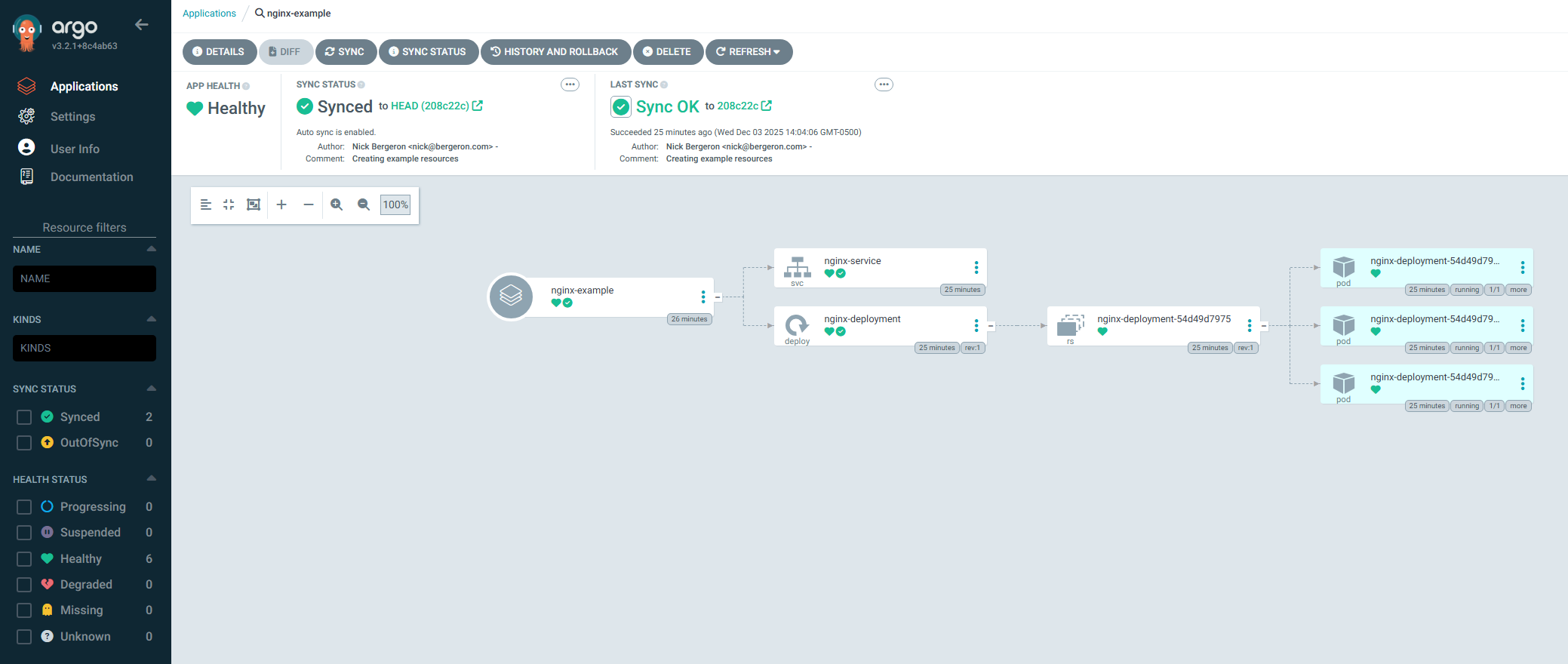
Click CREATE and everything should sync! If you used a non-default namespace like nginx and it doesn’t exist yet, then CreateNamespace=true will create it for you.
Things to explore next time
- App settings: sync policies, sync options, etc.
- Refresh:
normalvshard - Using the HA ArgoCD manifest
- Using proper authentication methods
- Deploying to external clusters
- Diving into more functionality